Derail Valley is an adventure developed by Altfuture, released 25 January 2019 on Oculus VR, PC (Microsoft Windows) and SteamVR. This page lists 26 cheat codes for it.
What Derail Valley is
Derail Valley is an adventure game developed by Altfuture and released in 2019. It is available on Oculus VR, PC (Microsoft Windows) and SteamVR. It runs on Unity 2019.
The premise, in the publisher's words
Drive massive trains and build your career in a vast open railway network. For both PC and VR. What makes Derail Valley different? You can feel the physics. Walk without restrictions, in and out of locomotives, changing them as you see fit. Couple and uncouple trains as you complete your deliveries. Choose new deliveries freely. Take many at once if you will. Service your trains after derailing. Do this all spontaneously, and at any point you can save and continue later. Built from the ground up for Virtual Reality - optional Derail Valley fully supports playing on a regular PC, using mouse and keyboard on a flat screen, but virtual reality is where it really shines. In VR you can, for the…
How it plays
It is played from a first person perspective. It is a single-player game with no multiplayer component.
What it launched against
Derail Valley launched on 25 January 2019, within three weeks of Metro Exodus, Resident Evil 2, Kingdom Hearts III and Slay the Spire.
Released around the same time: Metro Exodus, Resident Evil 2, Kingdom Hearts III, Slay the Spire.
Cheats and codes
We have tested and published 26 cheat entries for Derail Valley — 26 console commands. Each one lists the platform it applies to, the exact input, and whether it disables achievements.
Official trailer

Sourced from the publisher’s YouTube channel. See all 2 videos →
Screenshots
All media

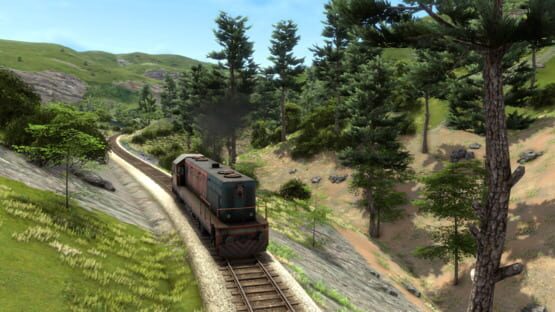
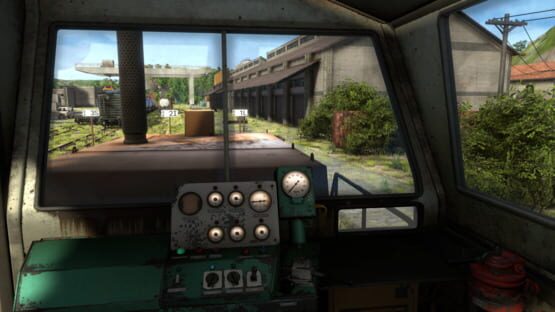
Every code labelled
Derail Valley cheat codes
Debug: Toggle track indicators
Enable/disable track ID indicators above station tracks.
Press ` (the key under Esc) to open the developer console, type the command and press Enter.
A developer command: save first.
Debug: Teleport to point
Teleports the player to a specific x,z coordinate on the map (value range 0-16384)
Press ` (the key under Esc) to open the developer console, type the command and press Enter.
A developer command: save first.
Debug: Teleport to point normalized
Teleports the player to a specific normalized x and normalized z coordinate on the map (value range 0-1)
Press ` (the key under Esc) to open the developer console, type the command and press Enter.
A developer command: save first.
Debug: Set sun yrotation
Sets sun Y rotation (0 - 360)
Press ` (the key under Esc) to open the developer console, type the command and press Enter.
A developer command: save first.
Quick answers
Derail Valley — frequently asked questions
When did Derail Valley come out?
Are there cheat codes for Derail Valley?
If you like this