The Sims 3: Lucky Palms
Rest and relaxation is the name of the game at The Sims 3 Lucky Palms! With ample parks, recreation locales, and a thriving culinary scene, you'll find yourself on an oasis of green amid shifting sands. This…
The Sims 3: Lucky Palms is a simulator developed by The Sims Studio, released 28 June 2012 on Mac and PC (Microsoft Windows). This page lists 10 cheat codes for it.
What The Sims 3: Lucky Palms is
The Sims 3: Lucky Palms is a simulator game developed by The Sims Studio and released in 2012. It was published by Electronic Arts. It is available on Mac and PC (Microsoft Windows). It runs on The Sims 3 Engine.
The premise, in the publisher's words
All New: The Wishing Well –Does your Sim long for Love? Wealth? Power and Fame? Perhaps they yearn for the pitter patter of little feet, or maybe they just want to be happy… The Wishing Well can help your Sim achieve all of these things and more! Just toss a coin and make a wish and see if dreams come true…
How it plays
It is played from a bird view / isometric perspective. Its themes are sandbox. It is a single-player game with no multiplayer component.
Where it sits in the The Sims series
The Sims 3: Lucky Palms is the 95th of 227 entries we hold in the The Sims series. The next entry was The Sims 3: Diesel Stuff in 2012.
What it launched against
The Sims 3: Lucky Palms launched on 28 June 2012, within three weeks of Persona 4 Golden, Spec Ops: The Line, Spelunky and Pokémon Black Version 2.
Released around the same time: Persona 4 Golden, Spec Ops: The Line, Spelunky, Pokémon Black Version 2.
Cheats and codes
We have tested and published 10 cheat entries for The Sims 3: Lucky Palms — 9 cheat codes and 1 tip. Each one lists the platform it applies to, the exact input, and whether it disables achievements.
Screenshots
All media

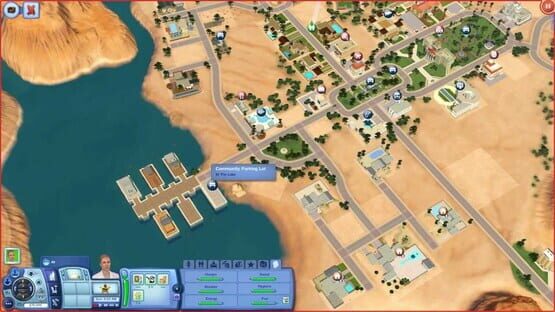
Every code labelled
The Sims 3: Lucky Palms cheat codes
These are The Sims 3 codes
The Sims 3: Lucky Palms is loaded by the base game, so its console and its codes are the base game’s. Nothing extra is installed.
Fill needs
With testing cheats on, the mailbox menu can refill the household's needs.
Enable testingcheatsenabled true, then hold shift and click the mailbox.
Move objects anywhere
Removes placement restrictions in build and buy mode.
Open the console with Ctrl+Shift+C and type the command.
Open the cheat console
Opens the text box every other cheat is typed into.
Press all three keys together during play. A box appears at the top of the screen.
Parents
Quick answers
The Sims 3: Lucky Palms — frequently asked questions
When did The Sims 3: Lucky Palms come out?
Are there cheat codes for The Sims 3: Lucky Palms?
If you like this